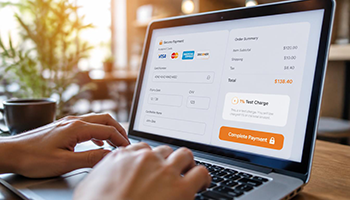
Pre-Launch Testing Mode

Test Your Setup with Minimal Risk
Before processing live transactions, Stealth Checkout allows you to validate your entire payment system by
running a real transaction for just 1% of your product’s price. This ensures your configuration, routing
rules, and gateway connections are working perfectly—without risking significant funds or triggering account reviews.

How the Testing Process Works

Only the single designated admin account has the ability to run
test transactions. This ensures complete control over the testing process and prevents unauthorized use.

Step 1:

Access Test Mode

As the admin, log in to your Main Website Dashboard. Navigate to Settings U+003E hai Testing Mode. You’ll see the testing controls available only to your admin account.

Step 2:

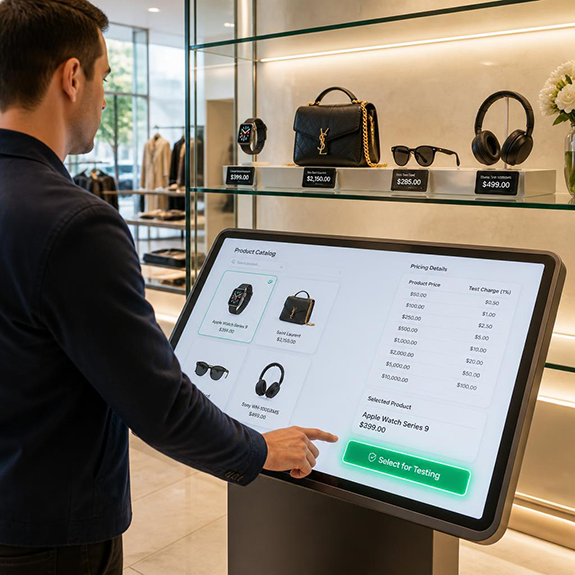
Select a Product for Testing

From your product catalog, choose any product you want to test. Whether it’s a $10 item or a $1,000 item, the testing feature works the same way.

  • Product Price
    Test Charge (1%)
  • $10.00
    $0.10
  • $50.00
    $0.50
  • $100.00
    $1.00
  • $250.00
    $2.50
  • $500.00
    $5.00
  • $1,000.00
    $10.00

Step 3:

Complete the Payment

You’ll go through your standard checkout process:

Enter payment details as a customer would
Complete the transaction
System charges only 1% of the product’s original price

Step 4:

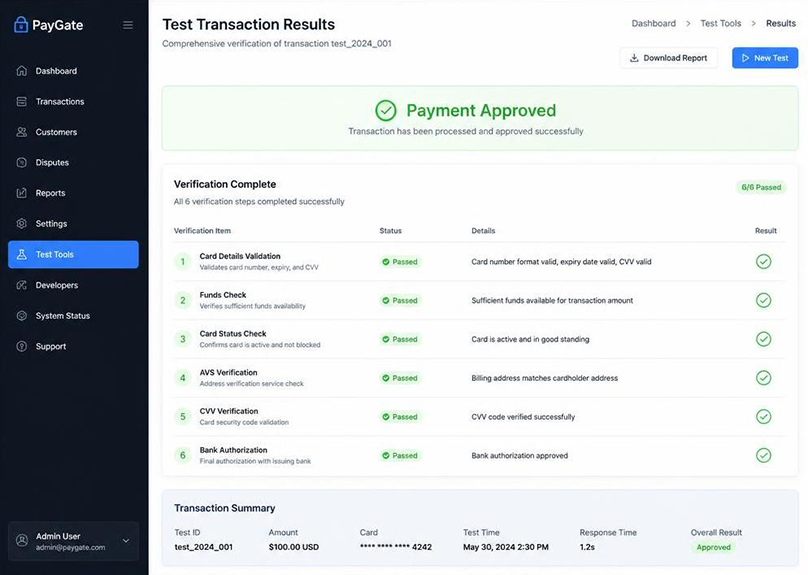
Review Test Results

After completing the transaction, check your admin dashboard for detailed results:

  • What to Verify
    How to Check
  • Transaction approval
    Did the payment go through successfully?
  • Routing accuracy
    Did the transaction follow your configured routing rules?
  • Account connection
    Did the payment appear in your connected account?
  • Data optimization
    Was the transaction data presented correctly?
  • Receipt details
    Did the receipt show the correct information?
  • Product identification
    Was the product name properly hidden (if configured)?

FAQ

Only the admin user (1 account)

Exactly 1% of the product price

Yes, any product in your catalog

Yes, in your test transaction log

No, only the admin sees testing options

No, only the admin account